Email Sequence Builder
Write the emails between signup and next book.
Draft a connected email sequence with timing, goals, subject lines, preview text, and body copy you can adapt for your mailing platform.
Classroom browser tool
Your workflow
From starting point to something useful.
Bring the story and links
Add book context, author details, reader promise, and the destinations you want readers to visit.
Choose the sequence
Select welcome, preorder, new release, ARC, review request, or another supported workflow.
Edit and install
Review each email, replace placeholders, and set up the automation in your mailing platform.
A concrete example
See what the workflow looks like.
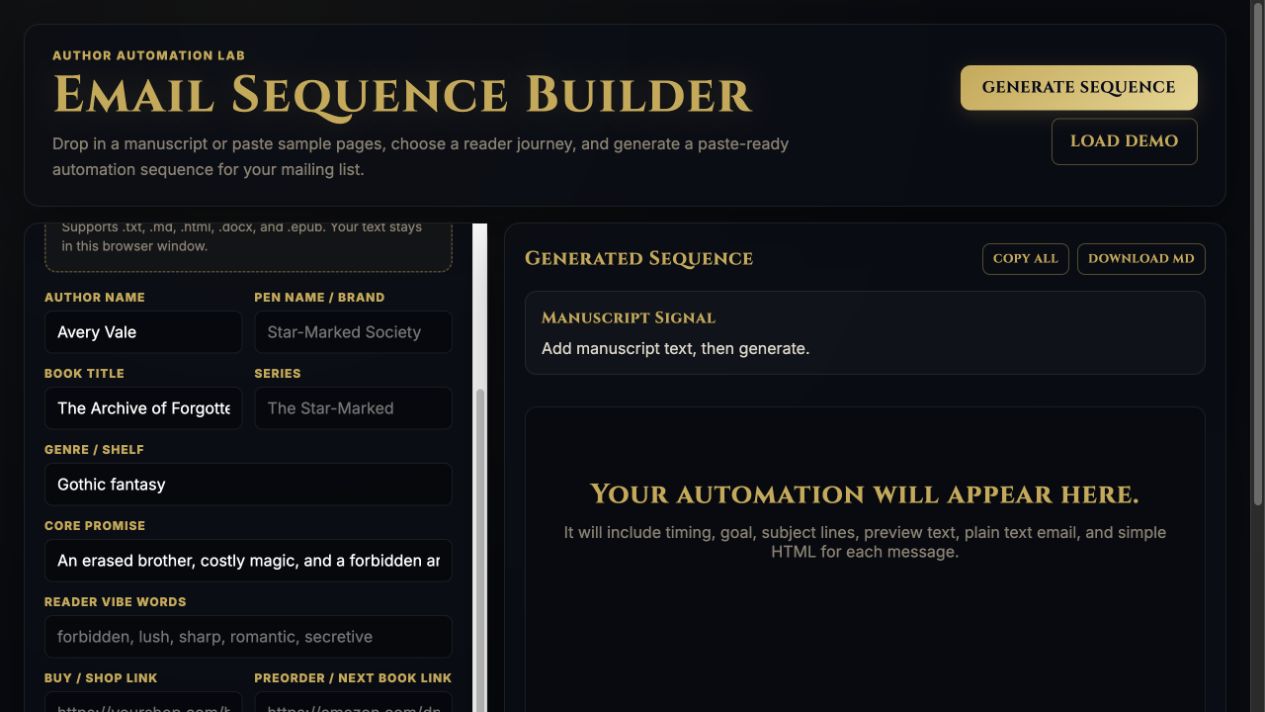
Illustrative welcome flow: deliver the reader guide, introduce the cost of memory magic, then invite the subscriber into the book. Each email needs a distinct purpose and a verified link.
Screenshots show the actual app interface. Book and author examples are fictional. Setup screens are labeled separately from generated results; interface details may vary by edition.
What you can do
A focused tool for a specific job.
- Sequence types
- Start from the reader journey you need.
- Timing and goals
- Give each message a clear purpose.
- Subject and preview text
- Prepare the inbox-facing copy alongside the email.
- Plain text and simple HTML
- Choose the format your mailing platform needs.
- Book-specific context
- Keep the story and author voice connected to the sequence.
- Copy and download
- Save individual messages or the complete sequence.
Learn before you choose
Watch the tool in use.
1:01 guided overview · Actual app captures · AI narration · English captions
Guided overview using setup screens and illustrative examples; generated results are not demonstrated.
Read the overview transcript
Email Sequence Builder drafts connected messages for a reader journey, such as a welcome sequence or a new release. Start with the book, author details, reader promise, and links. Choose the type of sequence you actually need. For our fictional book, email one delivers the reader guide. Email two introduces the cost of memory magic. Email three invites the reader into the story. This is a planning example; the app capture shows the input form before generation. Review the generated subject lines, preview text, body copy, and timing. Replace every placeholder and check each link. Copy or download the sequence, then install it in your mailing platform. The builder drafts emails; it does not send them or create your automation.
Before you start
What you need.
Your book details, reader promise and the destination links for the chosen sequence. The browser template builder does not require an AI API key. Review each message and add your email service’s unsubscribe and sender details before sending.
Keep a reviewed copy
Check the work against your actual project, then save or export the material you want to keep. Your final editorial and publishing choices remain yours.
Email Sequence Builder
Use your classroom tool link.
This page shows the browser tool described in the Darkling classroom. Follow your existing classroom link to open it, and use the free walkthrough for setup.
Open the setup walkthroughClassroom guideKeep exploring