OmniSqueeze
Turn one strong hook into a content spread.
Adapt a book hook for social posts, newsletter openings, promotional scripts, and other platform-specific drafts.
$27 one-time app access · AI provider usage is separate.
Your workflow
From starting point to something useful.
Choose a specific seed
Start with a hook that names a conflict, impossible choice, or compelling story detail.
Set the aesthetic
Choose the reader-facing tone that fits the book and multiplex the content.
Review each channel
Keep the premise consistent while adjusting length, voice, links, and calls to action.
A concrete example
See what the workflow looks like.
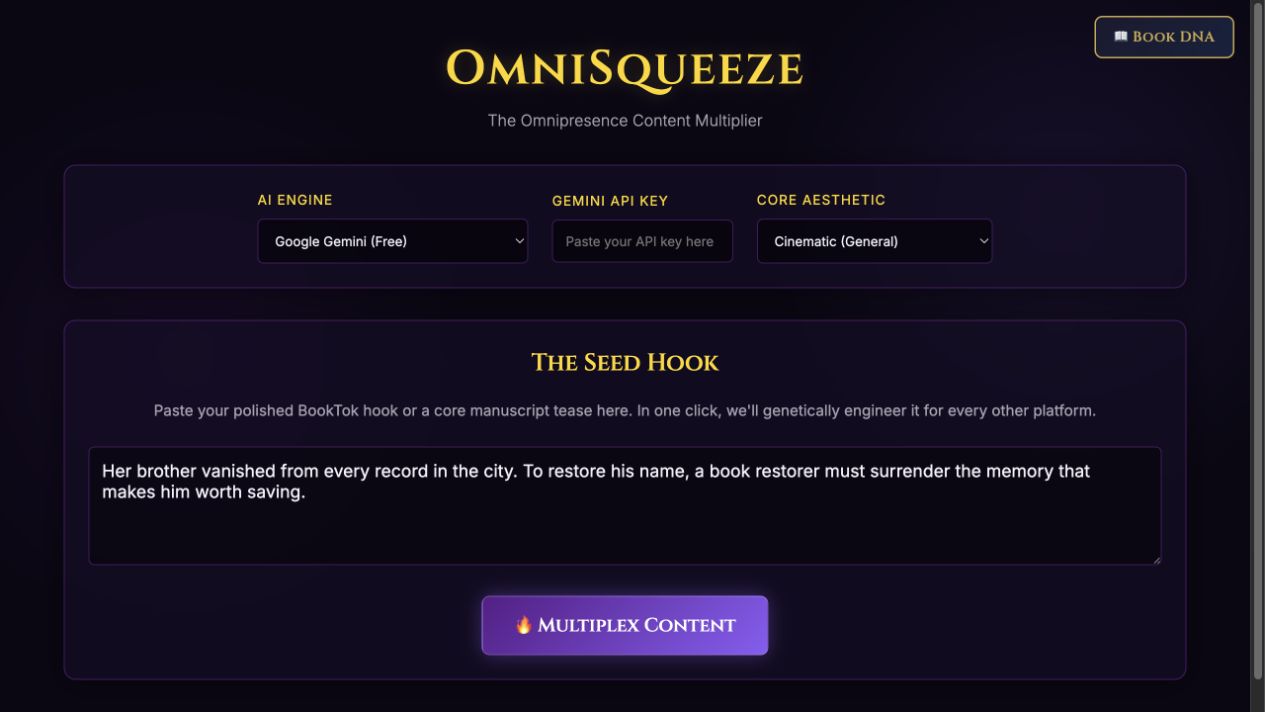
Illustrative seed: “To restore her erased brother, a book restorer must surrender the memory that makes him worth saving.” Use that same story fact across channels, then tailor the invitation to the reader and format.
Screenshots show the actual app interface. Book and author examples are fictional. Setup screens are labeled separately from generated results; interface details may vary by edition.
What you can do
A focused tool for a specific job.
- Short social posts
- Draft for Threads/X and Bluesky.
- Reader-community copy
- Adapt the invitation for Facebook groups and Goodreads.
- Visual platform ideas
- Prepare Pinterest and Instagram Stories copy.
- Newsletter openings
- Turn the hook into a more personal invitation.
- Scripts and pitches
- Explore TikTok and ARC email directions.
- Description draft
- Use a longer promotional treatment as a starting point.
Learn before you choose
Watch the tool in use.
1:00 guided overview · Actual app captures · AI narration · English captions
Guided overview using setup screens and illustrative examples; generated results are not demonstrated.
Read the overview transcript
OmniSqueeze turns a focused book hook into drafts for different channels. Start with a conflict or an impossible choice. Our fictional seed follows a book restorer who must surrender a precious memory to restore her erased brother. Choose an aesthetic that matches your readers, connect the provider supported by your edition, and use Multiplex Content. The screen shows the seed ready to run. Keep the same story facts across the resulting social, newsletter, and promotional drafts. A short post can emphasize curiosity; a newsletter can make a more personal invitation. Review length, voice, links, and calls to action for each channel. The tool creates copy, not published posts. Open the written guide when you are ready to set it up.
Before you start
What you need.
Bring one focused hook. Review platform fit and factual claims before posting; the tool creates copy and does not publish to your accounts.
AI access and usage
Connect a supported AI provider as shown in your edition. App access and AI usage are separate; provider availability and costs depend on your account. Read the API setup guide.
Keep a reviewed copy
Check the work against your actual project, then save or export the material you want to keep. Your final editorial and publishing choices remain yours.
OmniSqueeze
Put the tool to work.
One-time app purchase.
Use your purchase license in My Library to open the tool.
Already own it? Open My LibraryAlso available through the Full Marketing Suite and Everything Bundle.
Compare bundles →Keep exploring