TropeFinder
Name the reader promises already in your book.
Analyze manuscript material for tropes, hook angles, visual direction, and newsletter teasers that match the story.
$27 one-time app access · AI provider usage is separate.
Your workflow
From starting point to something useful.
Upload the material
Use a clean manuscript, chapter, or representative excerpt.
Choose genre and channels
Select the closest genre focus and the platforms you want ideas for.
Keep the accurate angles
Review the core tropes first and carry the strongest truthful language into your marketing.
A concrete example
See what the workflow looks like.
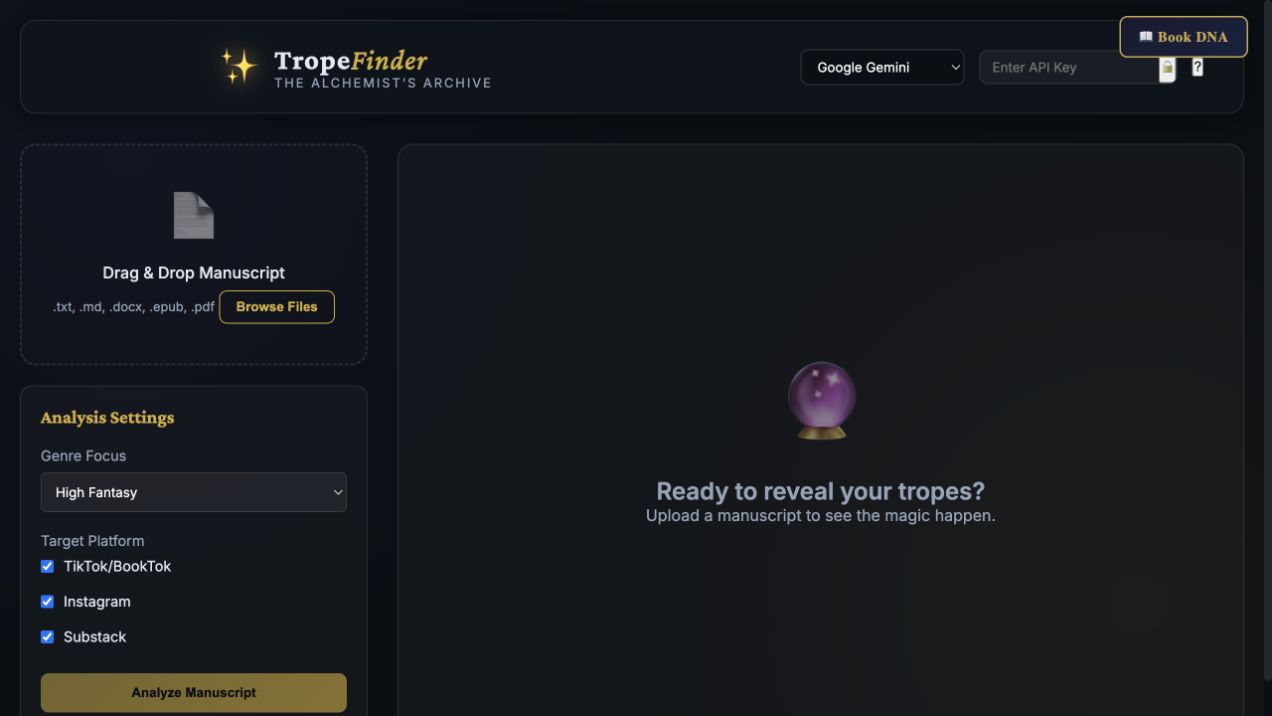
Illustrative check: “forbidden archive” describes a setting promise; “reluctant allies” describes the relationship engine. Keep an angle only if the manuscript delivers it. The screenshot shows the analysis setup before a file is uploaded.
Screenshots show the actual app interface. Book and author examples are fictional. Setup screens are labeled separately from generated results; interface details may vary by edition.
What you can do
A focused tool for a specific job.
- Core trope analysis
- Identify the patterns that drive reader expectations.
- Hook directions
- Explore short BookTok-style openings.
- Instagram aesthetics
- Find visual angles tied to the book.
- Newsletter teasers
- Use more intimate curiosity-driven framing.
- Platform selection
- Narrow the analysis to your actual channels.
- Supported file imports
- Start from text, Markdown, DOCX, EPUB, or PDF.
Learn before you choose
Watch the tool in use.
1:06 guided overview · Actual app captures · AI narration · English captions
Guided overview using setup screens and illustrative examples; generated results are not demonstrated.
Read the overview transcript
TropeFinder helps identify reader promises in your manuscript material. Upload a clean manuscript or representative excerpt, choose the closest genre focus, and select the platforms you want ideas for. This screen shows the setup before a file is uploaded. For our fictional story, forbidden archive describes a setting promise, while reluctant allies describes a relationship engine. These are illustrative angles, not a completed analysis. Keep a trope only when the book delivers the experience readers associate with it. Review the core tropes first, then choose useful hook, visual, and newsletter directions. Check every claim against the story, especially if you analyzed only an excerpt. Your selected provider receives the material. The written tutorial covers file preparation and setup.
Before you start
What you need.
Use material you can send to your chosen AI provider. Long-file handling varies; verify the output against the whole book before treating it as complete.
AI access and usage
Connect a supported AI provider as shown in your edition. App access and AI usage are separate; provider availability and costs depend on your account. Read the API setup guide.
Keep a reviewed copy
Check the work against your actual project, then save or export the material you want to keep. Your final editorial and publishing choices remain yours.
TropeFinder
Put the tool to work.
One-time app purchase.
Use your purchase license in My Library to open the tool.
Already own it? Open My LibraryAlso available through the Full Marketing Suite and Everything Bundle.
Compare bundles →Keep exploring