Step 1
Import the complete source
Create a named workspace, import TXT, Markdown, DOCX, EPUB or PDF, and set your genre and editorial intent.
Step-by-step guide · Browser app
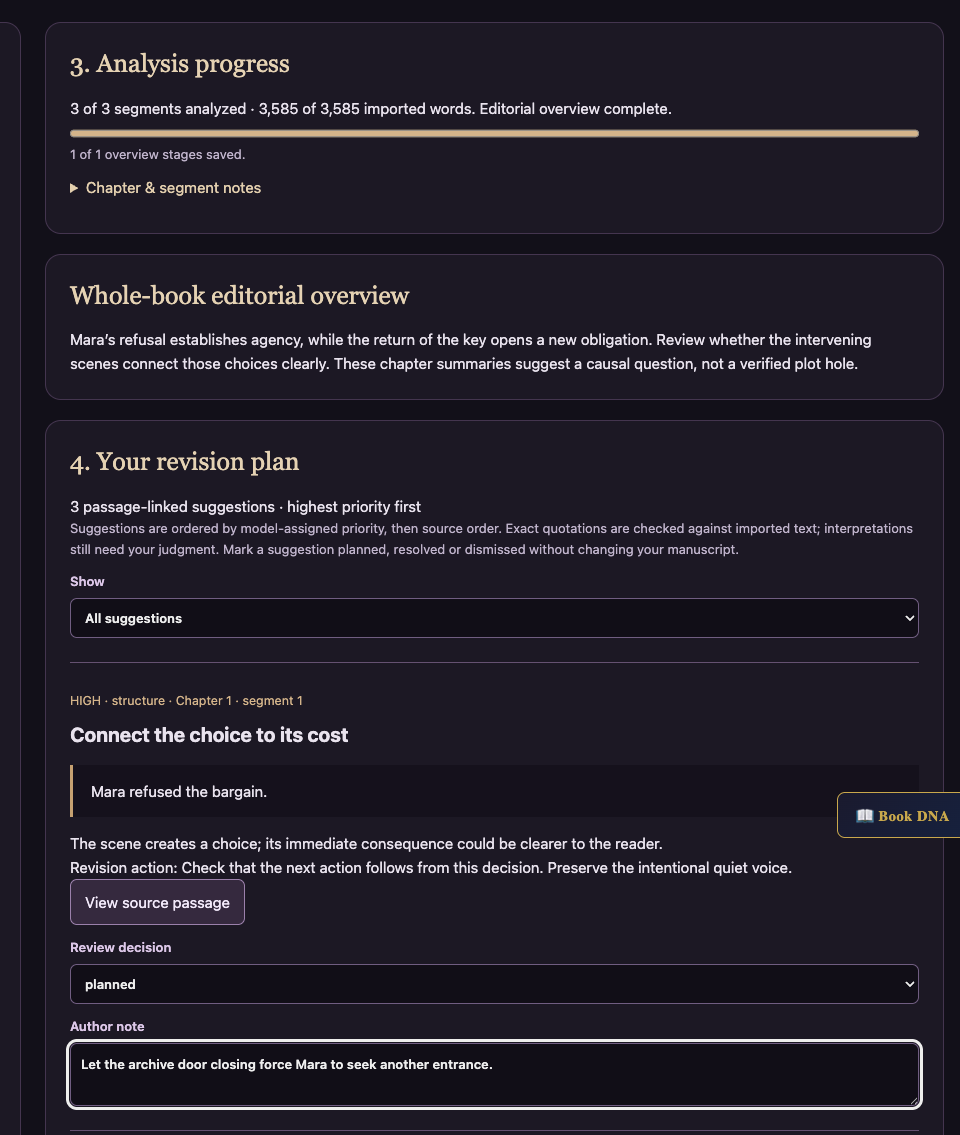
Diagnose story-level problems and build a saved revision plan.
Check price and access →Step 1
Create a named workspace, import TXT, Markdown, DOCX, EPUB or PDF, and set your genre and editorial intent.
Step 2
Read every imported segment, save completed work, and resume unfinished analysis after interruption.
Step 3
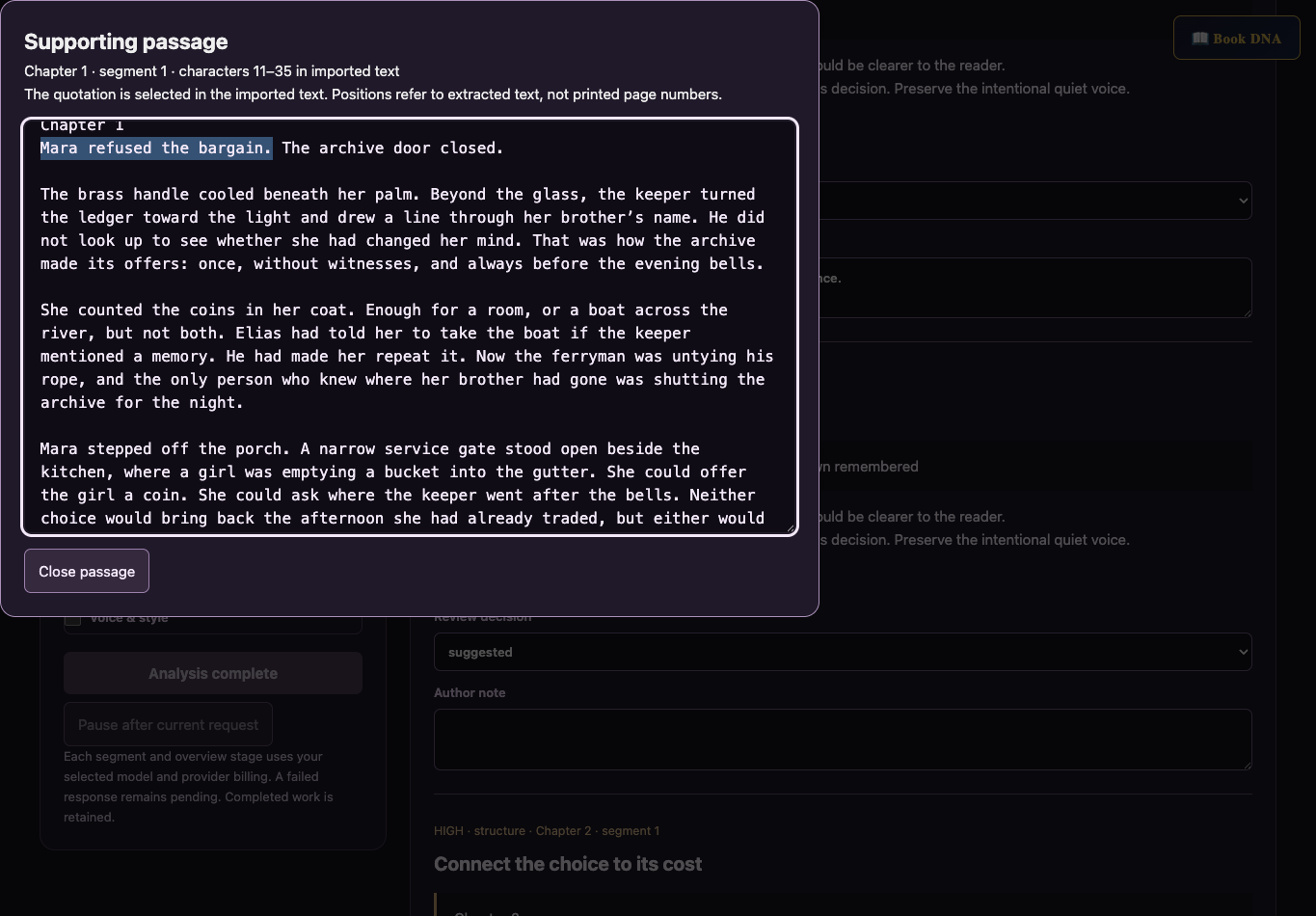
Check the exact supporting passages, mark decisions, add notes and export your editing plan.
Passage-linked findings, a whole-book overview, your decisions, and an exportable revision plan.
Review the result against your source and intended use. Keep a backup before changing devices or replacing a saved project.
Use Dev Edit for structure and priorities. Use Ruthless Editor to review sentence-level replacements.
Return to product and access details →