Darkling Palimpsest
Translate the book with its context intact.
Work chapter by chapter with manuscript import, story context, glossary terms, translation review, and book export.
$49 one-time app access · AI provider usage is separate.
Also listed as ScribeLocal in purchase and library records.
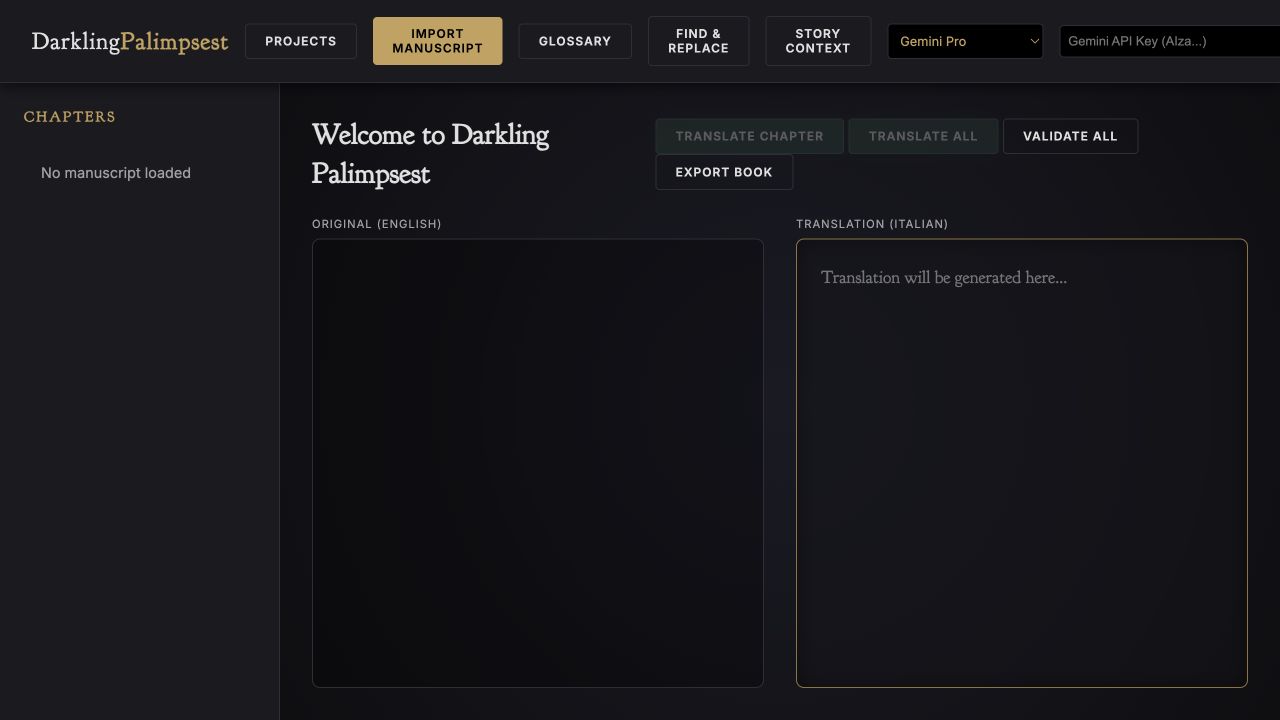
Your workflow
From starting point to something useful.
Prepare the project
Import the manuscript and check that its chapter structure is correct.
Set context and terminology
Record characters, tone, relationships, and recurring names or invented terms.
Translate, review, export
Start with one chapter, refine the approach, then continue through the book.
A concrete example
See what the workflow looks like.
The setup example records that Mara is a restorer, Elias is an oathbound archivist, and Iven has been erased from records rather than killed. Supplying those distinctions helps the translator preserve the story’s meaning.
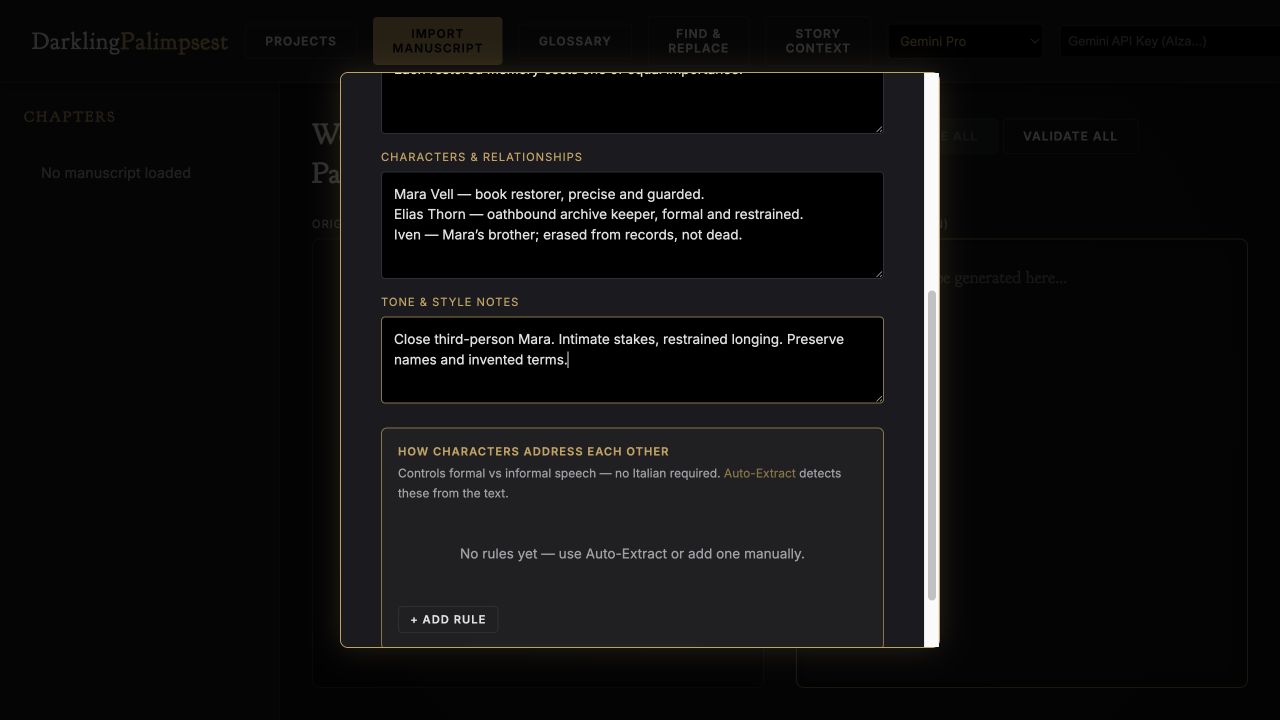
Screenshots show the actual app interface. Book and author examples are fictional. Setup screens are labeled separately from generated results; interface details may vary by edition.
What you can do
A focused tool for a specific job.
- Chapter workspace
- Keep the original and translated text side by side.
- Story context
- Give the translation the book’s synopsis, cast, and tone.
- Glossary
- Keep chosen translations of important terms consistent.
- Editable translation
- Review and refine the translated text.
- Validation tools
- Check consistency before final delivery.
- Project and book export
- Keep backups and export your reviewed work.
Learn before you choose
Watch the tool in use.
1:06 guided overview · Actual app captures · AI narration · English captions
Guided overview using setup screens and illustrative examples; generated results are not demonstrated.
Read the overview transcript
Darkling Palimpsest is a chapter-based translation workspace, also listed as ScribeLocal in the library. Import the manuscript and check the chapter structure before translating. Keep the original text available while you work through the translated version. The context panel lets you record the synopsis, characters, and tone. Our fictional example explains that Iven was erased from records, not killed. Add recurring names and invented terms to the glossary so important distinctions stay consistent throughout the book. Translate one chapter first and review meaning, terminology, and voice before continuing. The screens here show setup, not a finished translation. Your chosen AI provider receives the text. Keep project backups, export reviewed work, and have a fluent reader check the translation.
Before you start
What you need.
Use a supported manuscript file and the provider shown in your edition. AI translation sends text to that provider. Projects may be stored in your browser, so keep backups; have a fluent reader review the finished translation.
AI access and usage
Connect a supported AI provider as shown in your edition. App access and AI usage are separate; provider availability and costs depend on your account. Read the API setup guide.
Keep a reviewed copy
Check the work against your actual project, then save or export the material you want to keep. Your final editorial and publishing choices remain yours.
Darkling Palimpsest
Put the tool to work.
One-time app purchase.
Use your purchase license in My Library to open the tool.
Already own it? Open My LibraryAlso available through the Full Marketing Suite and Everything Bundle.
Compare bundles →Keep exploring