Series Bible Builder
Keep the world straight as the series grows.
Keep separate series workspaces, analyze manuscript chapters in saved steps, and approve facts with the original passages beside them.
$47 one-time app access · AI provider usage is separate.
Your workflow
From starting point to something useful.
Choose your series and book
Start a saved series workspace, keep editable notes, and import a manuscript into the correct book.
Analyze and review
Process all extracted text in resumable segments. Check each suggestion against its highlighted source before approving it.
Keep a recoverable reference
Export approved facts with citations, compile editable draft sections, and download a complete series backup.
A concrete example
See what the workflow looks like.
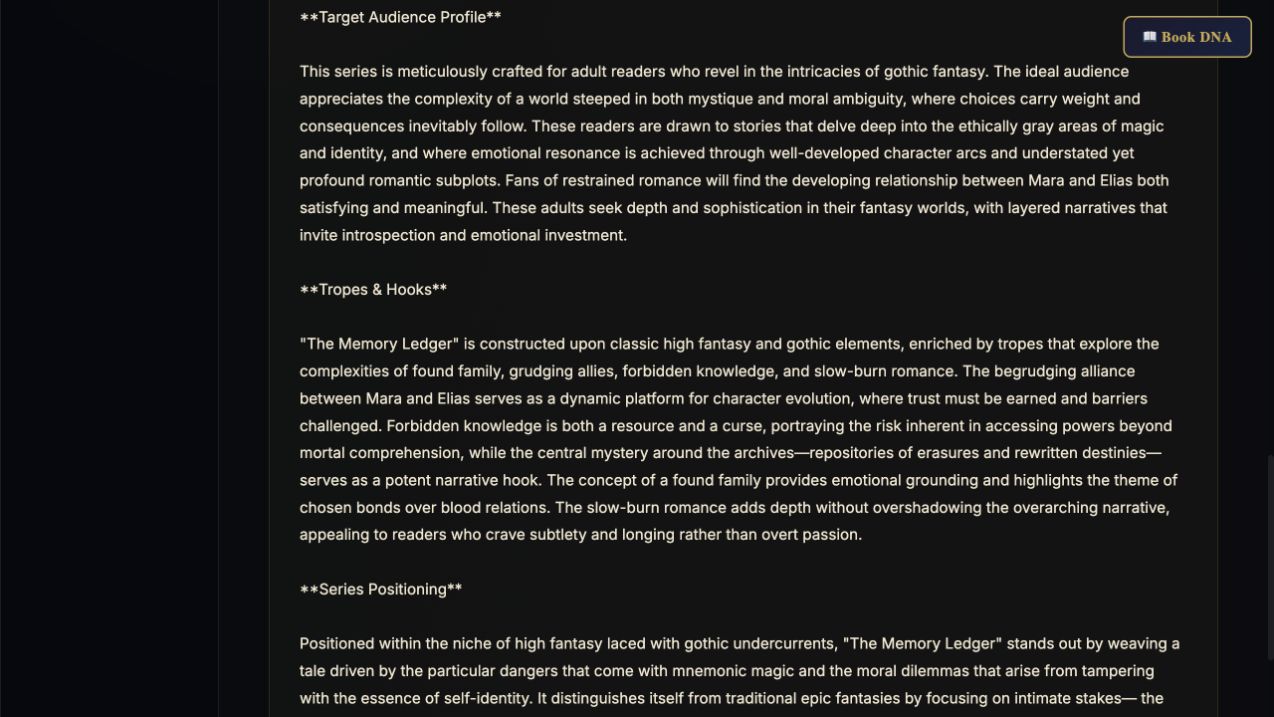
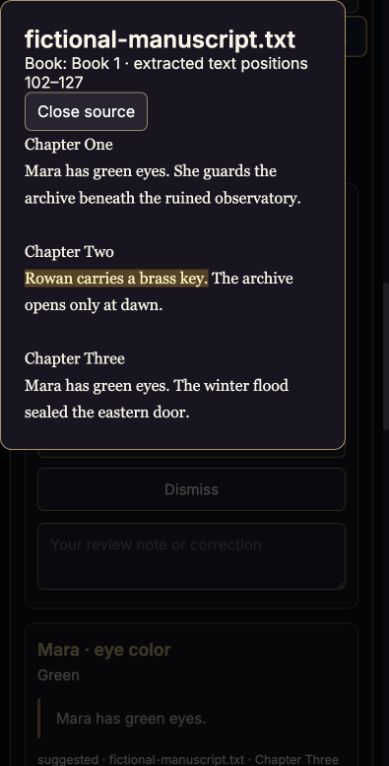
The new mobile source-review capture shows a fictional three-chapter manuscript after analysis: a brass-key fact opens its exact highlighted passage. The source text and model responses are controlled examples for demonstrating the workflow. Earlier screenshots and videos show the existing editable sections.
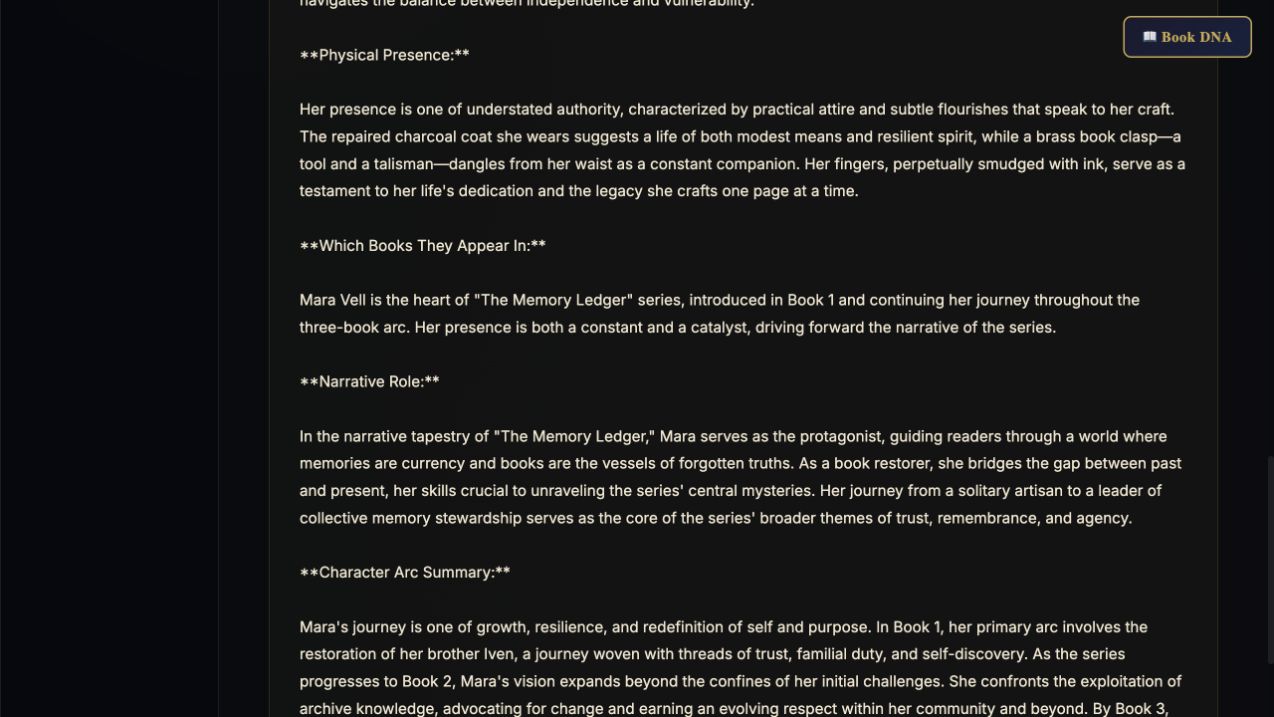
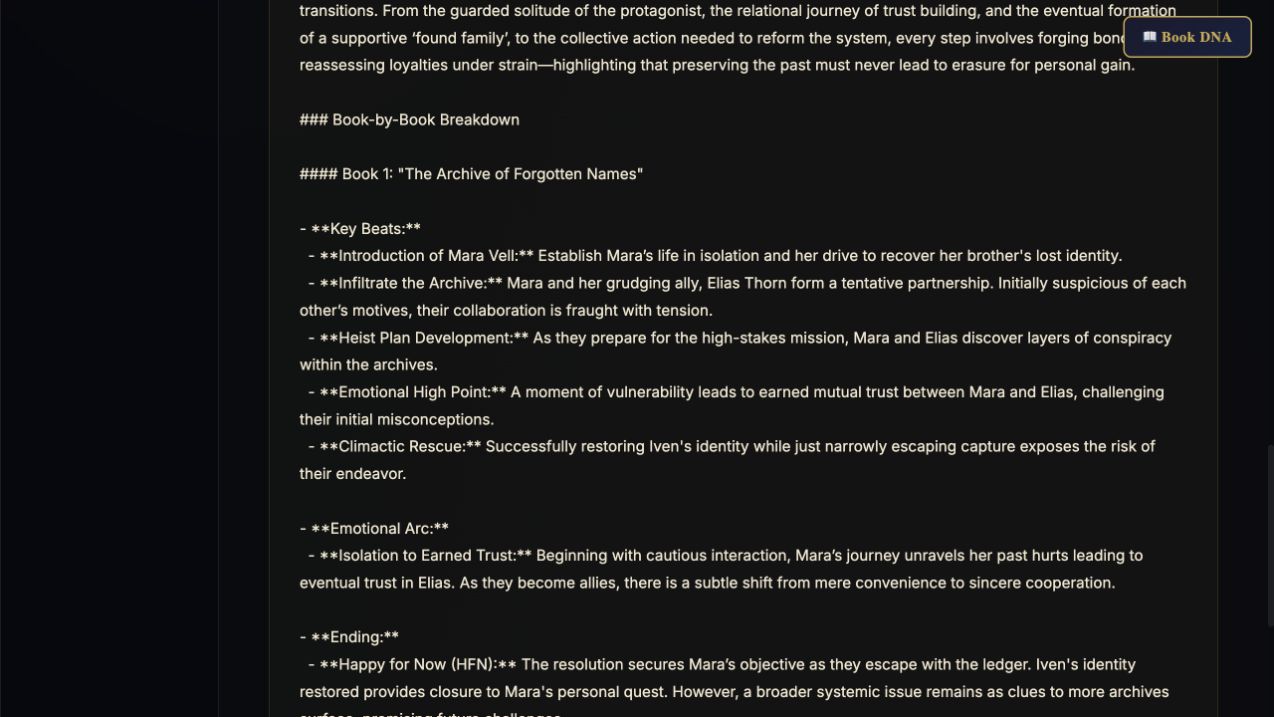
Screenshots show the actual app interface. Book and author examples are fictional. Setup screens are labeled separately from generated results; interface details may vary by edition.
What you can do
A focused tool for a specific job.
- Separate series projects
- Autosaved notes, cards, manuscripts and review decisions stay with the selected series.
- Resumable manuscript analysis
- Every extracted segment has a saved status. Resume unfinished work without repeating completed segments.
- Source-backed suggestions
- Open the exact quoted passage with surrounding context. Quote matching checks the text exists; you review the interpretation.
- Approved canon and review notes
- Approve or dismiss suggestions, add corrections in review notes, and review different values for the same subject and attribute.
- Editable reference sections
- Keep the blueprint, world, cast, relationships, book arcs and style sheet. AI expansions are editable drafts.
- Recovery and portable backups
- Save recovery versions and export/import the complete series, including source text. API keys are omitted.
Learn before you choose
Watch the tool in use.
5:03 updated walkthrough · Actual app captures · Prepared fictional example · AI narration · English captions
Read the walkthrough transcript
Series Bible Builder now keeps a saved workspace for each series. This walkthrough uses The Glass Archive, a prepared fictional example, to show the current controls. These are real app screens, but the example facts were prepared for teaching, not produced by a live model call. Start by opening Manage series and backups. Enter your series name, then choose New series. Your notes, books, imported sources, and review decisions stay together in this browser. Add or name your books with Manage Books. Before importing a manuscript, check Import into book. This keeps evidence attached to the right installment. Choose File accepts text, Markdown, Word documents, EPUB, and readable PDFs. Scanned pages need text recognition first. Book DNA import uses the manuscript already available there, which may have its own omissions. After import, check the source name and extracted word count rather than assuming every page was readable. Choose your writing provider and model, and connect your own key only when you want AI analysis. Provider access and charges depend on your account. Analyze or resume selected sources processes saved text in segments. The progress line shows how much extracted text was analyzed. Open Source coverage by segment to inspect processed and pending sections. Pause after this segment stops between requests. Completed segments are retained, so interrupted analysis can resume. Processing is not the same as approving the resulting facts. Open Suggestions in the Review menu. Each card names a subject, an attribute, a proposed value, and its supporting quotation. Here the suggestion says Mara carries a brass key on a blue cord. Choose View source to read the highlighted sentence in context. The app checks that a quotation exists in the source. You still decide whether it supports the interpretation. A pronoun, a memory, or another character’s claim can need a closer reading. Add a review note when a fact needs context. Choose Approve only after checking the evidence, or Dismiss a suggestion you do not want. The Approved canon view now includes our reviewed key detail alongside Mara’s eye color. You can return an approved fact to suggestions. Different approved values are prompts for review, not proof of a continuity error; a character may change over time. Export approved facts gives you a text reference containing the approved material and its citations. The Character Weaver connection is optional. Export approved canon for Character Weaver creates a reference file for that app. In the other direction, import an approved character dossier here and read the preview before adding it. The Add reviewed dossier button creates an editable character card without replacing existing cards. An approved design is still a design. It does not become a manuscript-verified fact just because you imported it. The chapter buttons organize your blueprint, world, characters, relationships, book arcs, and style sheet. Keep your own notes there and treat AI expansions as editable drafts. Full Bible and Compile All Sections bring the reference together, including the approved source-backed facts. Read the compiled document before sharing it or using it to plan another book. Compilation is an organizational step, not an automatic proof that every draft statement is correct. Manage series and backups includes Download series backup, recovery versions, and Import backup as a new series. Download a backup before changing browsers, clearing browser data, or moving devices. A text reference is useful for reading; the JSON backup preserves the editable project. Local saves do not automatically synchronize across devices or editions. For your first practice session, import a short excerpt, inspect one quote, approve one fact, and download both the reference and the backup.
Before you start
What you need.
Bring TXT, Markdown, DOCX, EPUB or PDF material. EPUB files follow publisher reading order. PDF image-only text needs OCR, and extracted layout should be checked. Work is saved in this browser; download backups before switching devices.
AI access and usage
Connect a supported AI provider as shown in your edition. App access and AI usage are separate; provider availability and costs depend on your account. Read the API setup guide.
Keep a reviewed copy
Check the work against your actual project, then save or export the material you want to keep. Your final editorial and publishing choices remain yours.
Series Bible Builder
Put the tool to work.
One-time app purchase.
Use your purchase license in My Library to open the tool.
Already own it? Open My LibraryAlso available through the Full Marketing Suite and Everything Bundle.
Compare bundles →Keep exploring